Managing notifications for flights
This feature is available with NavPort Pro only.
NavPort's flight notifications provide you with pilot-grade data right in your notifications inbox. Stay informed about the status of your trip with NavPort Pro!
Configuring Notifications
If you have a NavPort Pro plan, all flights that you bookmark will automatically be registered for notifications. Just make sure that notifications are turned on for the NavPort app in your device's settings.
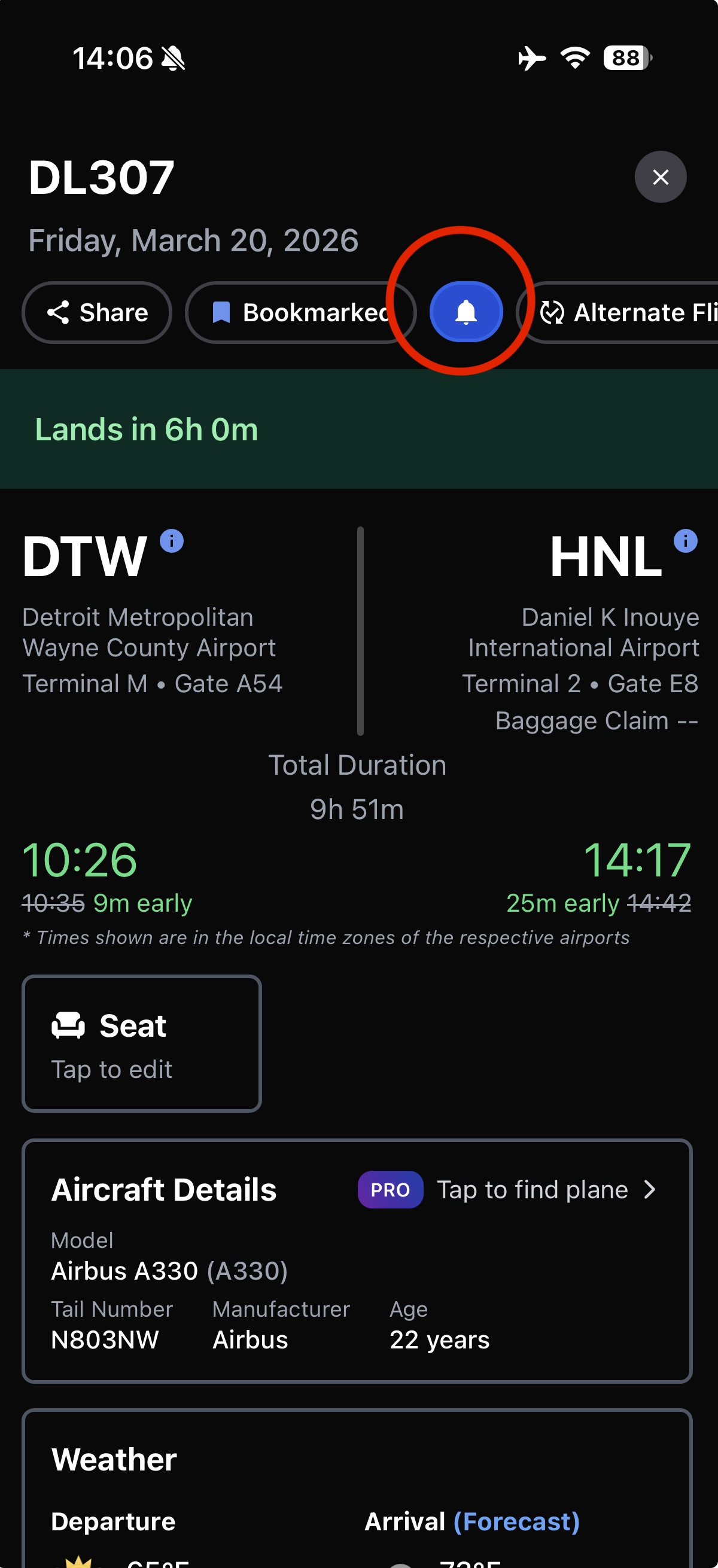
To toggle notifications for a flight: open a bookmarked flight -> tap the bell icon in the actions row towards the top of the screen. If the icon is highlighted with a blue background, this means notifications have been enabled. If there is no highlight (black background) for the icon, this means notifications are turned off.
Notifications List
| Type | Description |
| Departure delays | Notifies you when a departing flight has been delayed. The message includes how long the delay is and how much the total delay is (if applicable, for cascading delays). |
| Gate changes | Notifies you when a gate has been assigned and/or when a gate changes. The message includes the new gate information. |
| Flight cancellations | If a flight is cancelled, this notification will notify you. Tapping this notification will open the flight's status page, where you can then look for alternate flights. |
| Takeoff | Sent when the flight has taken off from the airport. Includes how early/late the flight departed, how early/late it took off, and how many hours/minutes until landing. |
| Landing | When the flight has landed, this notification is sent. The notification includes the estimated taxi time to the gate, the gate/terminal the aircraft will be arriving at, and the baggage claim number. |